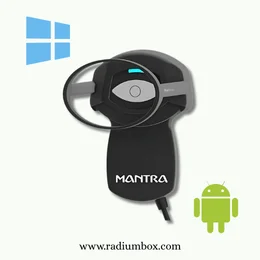
Welcome to Software and Drivers for
Mantra MIS100 V2 Iris Scanner is a highly precise biometric authentication device that is advanced and used in the verification of identities through high-precision. They are common scanners in Aadhaar Authentication, banking services, eKYC, government programs, and access control in the enterprise level. The Mantra MIS100V2 Iris Scanner Driver is available as both Windows and Android versions, which allows the device to be integrated smoothly. The driver package has all the compositions that make it stable in terms of connectivity, maximizing image capture and performance of authentication. After the installation, the scanner will provide high level image matching, better usability and better results even in adverse lighting or user movement. Aadhaar-based verification, banking transactions, or protecting access is required, MIS100 V2 will provide your device with the highest level of efficiency and accuracy, and it will provide the level of reliable iris authentication needed in digital identity systems today.
One simple steps to show what drivers are available for your product
Identify and select Model to download the driver
What Model do you have?
Android
Windows
Download Mantra MIS 100 V2 Android application .apk file.
Download
Version:-
Download Counts:-
0
Supporting OS:-
Update On:-
21/07/2024
Download Mantra MIS 100 V2 Android application .apk file. Kindly must update the file after installing it.
 Mantra Android MIS100V2 Release Notes
Download
Version:-
Download Counts:-
2769
Supporting OS:-
Update On:-
21/07/2024
Get the release notes for Mantra Android MIS100V2 here. Know the details of the latest version. Compatibility and known problems
Mantra MIS100 Installation Guide
Download
Version:-
1.1.0
Download Counts:-
1626
Supporting OS:-
Update On:-
11/07/2025
Download the installation guide for Mantra MIS100V2 Iris Scanner for Android, including step-by-step setup instructions, configuration, and troubleshooting tips to ensure smooth integration and secure Aadhaar authentication.
Other Details
Download the Mantra MIS 100 V2 Iris Scanner driver Windows. Mantra MIS100V2 is a superior quality USB IRIS Scanner to be used in IRIS Authentication. It gives greater security and usability with high level image matching. The MIS100 has a wide range of applications concerning identification including Aadhaar Authentication, Banking Applications, and Access Control Applications. Install Mantra MIS 100 V2 RD Service Driver. Best IRIS Scanner, Mantra MIS 100 v2 Single USB Iris Scanner to Ayushman Bharat and UIDAI Aadhaar. Plug and Play high-speed USB 2.0. E-Ky API 2.5 and Aadhaarauth API 2.5 compliance should also download and install driver setup. Mantra MIS100 V2 has multiple applications where identity can be used such as Aadhaar Authentication, Banking Applications, and Access Control Applications. MIS100 quality algorithm is able to detect bad IRIS images fast and can easily be adjusted with regards to inbuilt LED indications. Download Mantra MIS 100 V2 Android application.apk file. After installing it, Kindly will have to update the file.
Installation Process
Download the MIS100 V2 driver for windows or android apk file.
To install windows, download the driver, extract the ZIP file and proceed step by step on the screen.
Install the RD Service package that is necessary in Aadhaar applications.
Restart the system is required.
For Android, Install Apk, update RD files in the application.
Connect the device with USB and confirm the detection of device in supported applications.
Key Details of Mantra MIS100 V2 Driver
Supports Aadhaar Authentication, eKYC, ABHA/Ayushman Bharat, and banking.
USB 2.0 High-speed, plug and play.
High-tech iris capture with LED indicators to put the iris in the right place.
RD Service that is compliant and required to Aadhaar transactions.
Supports both windows and Android systems.
Virus Scan Status: The scan and verification of all files are completed without any threats.
Pros:
Dependable and error-free iris recognition.
Quick installation and integration.
Image capture algorithm of high quality.
Robust and UIDAI-compliant and ideal identity applications.
LED-guided capture enhances success rate.
Bottom Line: The Mantra MIS100 V2 Iris scanner driver package offers secure, high speed and compliant biometrics authentication in the Aadhaar, banking and enterprise settings. Appropriate to windows and Android.
Editors' Note: After installing drivers, always ensure that you have the latest update on the RD Service in order to have a smooth use with the Aadhaar-authenticated apps.
Faq
The setup of the Iris MIS100 normally consists of a connection to a computer or network, software installation and configuration that would allow enrolling and controlling users. Instruction in detailed setups is normally given in the users’ manual are available here.
Common Troubleshooting: All the connections, firmware, and software updating of the device; light condition while capturing the iris; refer to the user manual or technical support in case of an error message or problem or call us +91 84343 84343




 0
0

 Download Mantra MIS100V2 RD Service for Windows
